
Resource HackerTM 是一款适用于 32 位和 64 位 Windows® 应用程序的资源编辑器
它既是资源编译器 (针对 .rc 文件),也是一个反编译器 ——支持查看和编辑可执行文件(.exe; .dll; .scr等)以及编译后的资源库(.res、.mui)
下载5.2.8版本: EXE 安装 (4.1MB)ZIP 安装 (3.3MB)
Create an .ico file using GIMP, you can use the game.ico or love.ico included in the 32bit redistributable of LÖVE as a template
用 GIMP 创建.ico 文件,你可以用 LÖVE32 位再分发包里附带的 game.ico 或 love.ico 作为模板
Rename your .exe file to nonsense.exe (explanation below)
将你的 .exe 文件重命名为 nonsense.exe(下面有说明)
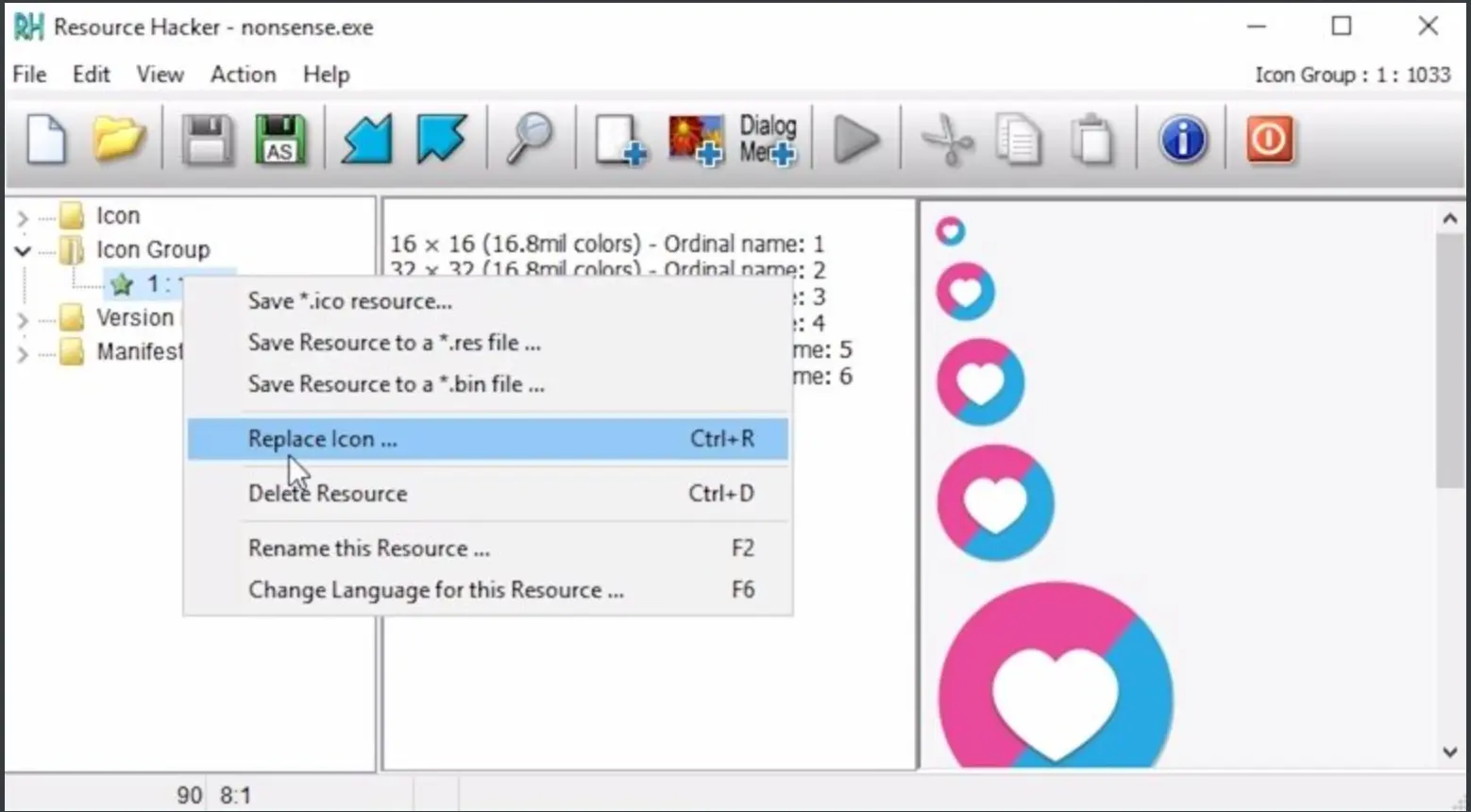
Drag the .exe file into Resource Hacker, unfold Icon Group and right-click the only item in it. Select "Replace icon ..." and select the .ico file you created
把 .exe 文件拖到 Resource Hacker, 展开图标组 ,右键点击里面唯一的项目。选择“替换图标......”然后选择你创建的 .ico 文件
Press Save (floppy disk icon)
点击保存(软盘图标)
You might not see the change yet. Rename nonsense.exe to yourgamename.exe and it should become visible.
你可能还没看到变化。把 nonsense.exe 改名为 yourgamename.exe,应该会显示出来